.svg)


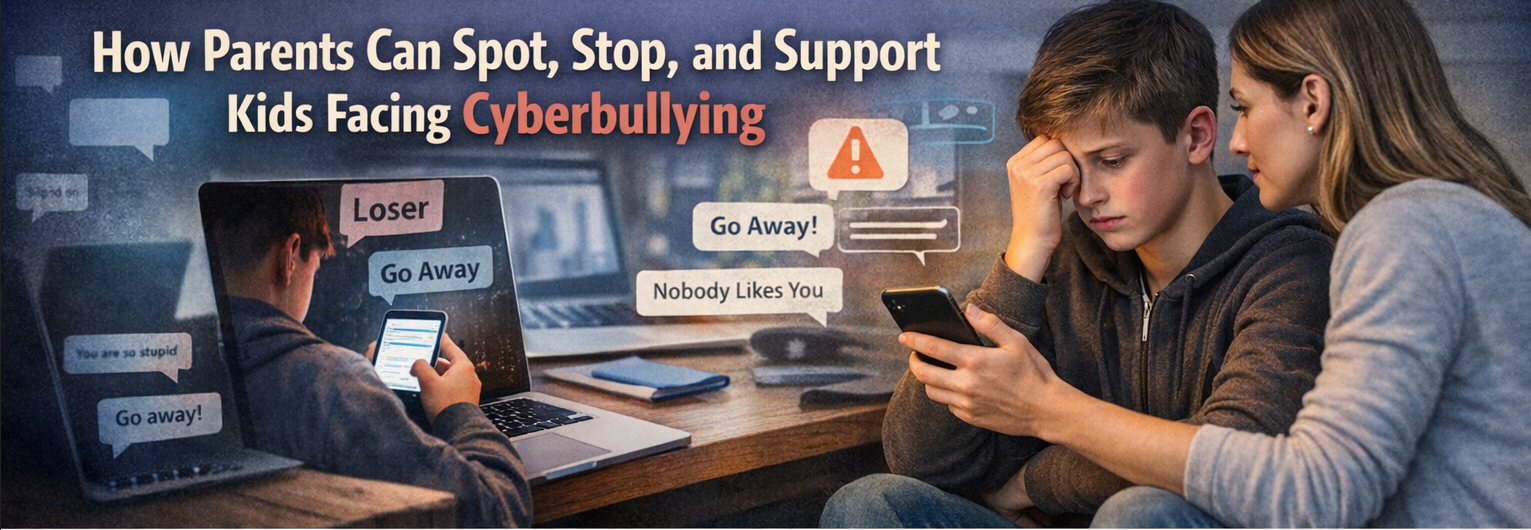
Parents of school-age children face a tough reality: online safety concerns can follow kids home, and the harm doesn’t always look obvious at first. Cyberbullying often starts small, an offhand comment, a group chat shift, a sudden silence, but the cyberbullying impact on kids can escalate fast and spill into school, friendships, and sleep. The hardest digital parenting challenge is knowing what’s normal growing-up turbulence versus a warning sign worth acting on. Paying attention to subtle changes protects child mental health and cyberbullying from taking a deeper hold.
Quick Summary: What to Do About Cyberbullying
- Watch for signs of online bullying, like mood shifts, withdrawal, or sudden avoidance of devices.
- Start supportive conversations that help your child share what happened without blame or pressure.
- Take practical intervention steps, including saving evidence, blocking accounts, and tightening privacy settings.
- Use reporting options through platforms and schools to stop harassment and create accountability.
- Support recovery by rebuilding confidence, staying involved online, and knowing what to do first.
Understanding What Cyberbullying Looks Like
Cyberbullying is repeated online harm, such as when someone makes fun of another person online, targets them through messages, or shares posts meant to embarrass. It often shows up as recognizable patterns: group-chat pile-ons, impersonation with fake accounts, or rumor posts that spread fast.
This matters because “be careful online” is too vague to protect a kid. When you know the patterns, you can connect them to clues like sudden secrecy, avoiding a device, mood swings after notifications, or a sharp drop in confidence.
Imagine your child laughs at a group chat, then goes quiet and deletes apps. A classmate may be copying their profile and posting “jokes,” turning one mean comment into a public dogpile. With the signs in focus, it becomes easier to set rules, monitor lightly, and respond with a clear safety plan.
Create Online Rules and a Cyberbullying Safety Plan
This process helps you turn “be safe online” into a simple routine your family can follow. It matters because social apps move fast and kids need clear expectations plus calm, repeatable support when something goes wrong.
- Set a short, specific family online agreement
Start with 5 to 7 rules your child can repeat back, such as “no sharing passwords,” “don’t reply to cruelty,” and “tell an adult if threats show up.” Keep it practical by defining time-of-day boundaries, what counts as oversharing, and what to do if a stranger contacts them. Write it down and revisit it monthly so it stays realistic. - Build an “easy-to-tell” communication habit
Choose one daily check-in prompt like “Any messages today that felt weird or mean?” and listen first, problem-solve second. Decide ahead of time who else may need to know, what you will say, and how quickly you will update people, develop a comprehensive communications plan as your model for calm, consistent coordination. Your goal is to make honesty feel safer than secrecy.
 - Choose light-touch monitoring that protects trust
Explain what you will and will not look at, then stick to it, such as reviewing privacy settings together and asking for a quick tour of new apps. Focus on patterns over spying: sudden new accounts, nonstop notifications, or late-night stress. Keep in mind that 77.0% of students use social media several times a day, so your approach should be sustainable, not constant surveillance. - Respond to an incident with a three-part action plan
Save evidence first by screenshotting messages, usernames, dates, and URLs, then store it somewhere your child cannot accidentally delete. Next, block and report within the app, and if there are threats or ongoing harassment, loop in the school or platform support with the documented proof. Finally, make a safety plan for the next 48 hours: who they can go to, what apps to pause, and what to do if the bully escalates. - Teach resilience and safer posting habits
Practice short scripts your child can use, like “Stop. Don’t contact me again,” then end the interaction and come to you. Help them tighten privacy, limit who can comment or message, and avoid posting when upset, tired, or angry. Praise smart choices, not just outcomes, so they learn they have control even when others act badly.
Cyberbullying Questions Parents Ask Most
Q: What are the most effective steps parents can take to prevent cyberbullying before it starts?
A: Set clear boundaries together: privacy settings, friend lists, and what to do when a message turns nasty. Practice a “pause, screenshot, tell” rule so your child has a script under stress. Keep it real by explaining that 46% report ever experiencing at least one cyberbullying behavior, so preparation is normal, not scary.
Q: How can I recognize the signs that my child might be experiencing cyberbullying?
A: Look for sudden avoidance of devices, mood shifts after notifications, sleep changes, or reluctance to go to school or activities. You may also see secrecy, new accounts, or unexplained stomachaches and headaches. Ask calm, specific questions like “Any messages that felt threatening or humiliating today?”
Q: When is it appropriate to involve the school or law enforcement in a cyberbullying situation?
A: Contact the school when the students know each other, it affects attendance or learning, or harassment spills into classrooms, teams, or buses. Involve law enforcement if there are credible threats, stalking, sexual exploitation, extortion, or repeated harassment after clear “stop” requests. Save evidence first, then act quickly and steadily.
Q: How can I help my child talk openly about their online experiences and build resilience against cyberbullying?
A: Regulate your first reaction so your child does not fear losing their phone more than losing their safety. Validate feelings, then collaborate on one small next step: block, report, or tighten settings. Naming that cyberbullying is bullying in electronic form helps kids see it as a behavior problem, not a “me” problem.
Q: During busy and overwhelming times, how can I still ensure I spend quality time with my child to support their emotional well-being and online safety?
A: Use short, predictable touchpoints: a 5 minute check-in at bedtime, a weekly walk, or a device-free meal, especially if you’re a working parent and need practical ways to prioritize your kids during busy seasons without trying to overhaul your whole schedule. Make one question non-negotiable, such as “Anything online you want to backup?” and listen without multitasking. Consistency beats length, especially when life is hectic.
Plan an Offline Reset to Reduce Cyberbullying’s Daily Pressure
Cyberbullying feels relentless because the phone makes it possible to follow a child everywhere, all day. The steadier approach is the one built on calm presence, clear boundaries, and support that protects trust while reducing exposure. When families apply it, kids get a mental health break from cyberbullying, regain sleep and focus, and rebuild confidence through offline connection. A real break starts when the bullying can’t reach them. Plan one offline reset this week, an evening of device-free activities, a weekend outdoors, or even a device-free camp that removes the 24/7 group-chat environment where pile-ons spread fastest. That breathing room helps restore stability and resilience that carry forward long after the screens come back on.
Written by Amanda Henderson
.png)